Xiaolong
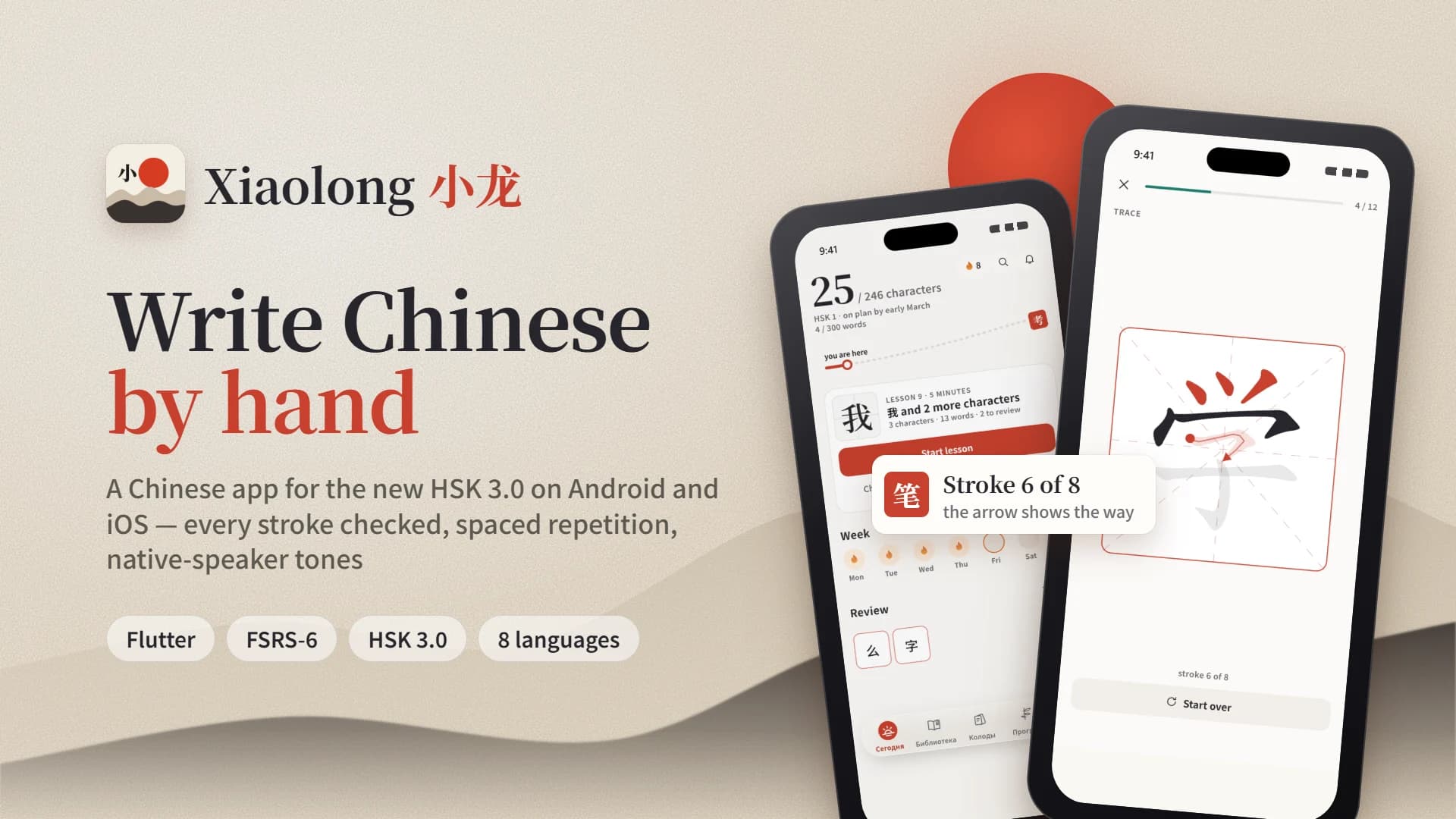
Xiaolong is a mobile app for learning Chinese for the new HSK 3.0 exam. Learners write characters with a finger on the screen, and the app checks every stroke. Reviews are scheduled with the FSRS algorithm, and words and tones are voiced by native speakers. The app runs on Android and iOS phones, tablets and foldables. We built the app, the backend, the xiaolong.app website and the admin panel. The project is part of the Xiaolong international language school.
Challenge
The new HSK 3.0 exam came out in July 2026, and from 2027 the old format can no longer be taken. Most Chinese apps still teach the HSK 1–6 scale, and writing in them is little more than a way to enter an answer. The goal was an app where every character of the new exam is written by hand and reinforced with spaced repetition. It had to launch on Android and iOS at once, with no ads and a clear free tier.
Solution
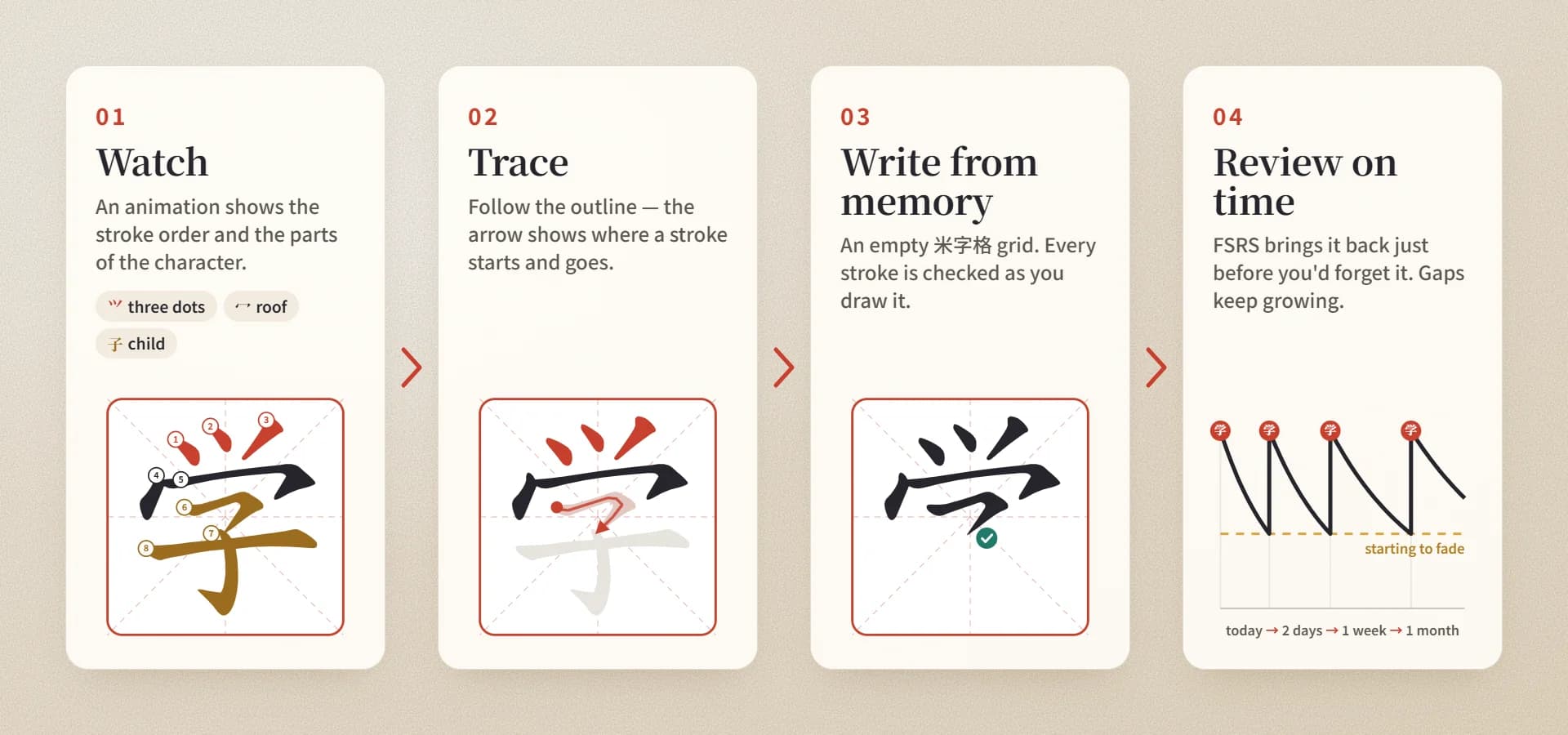
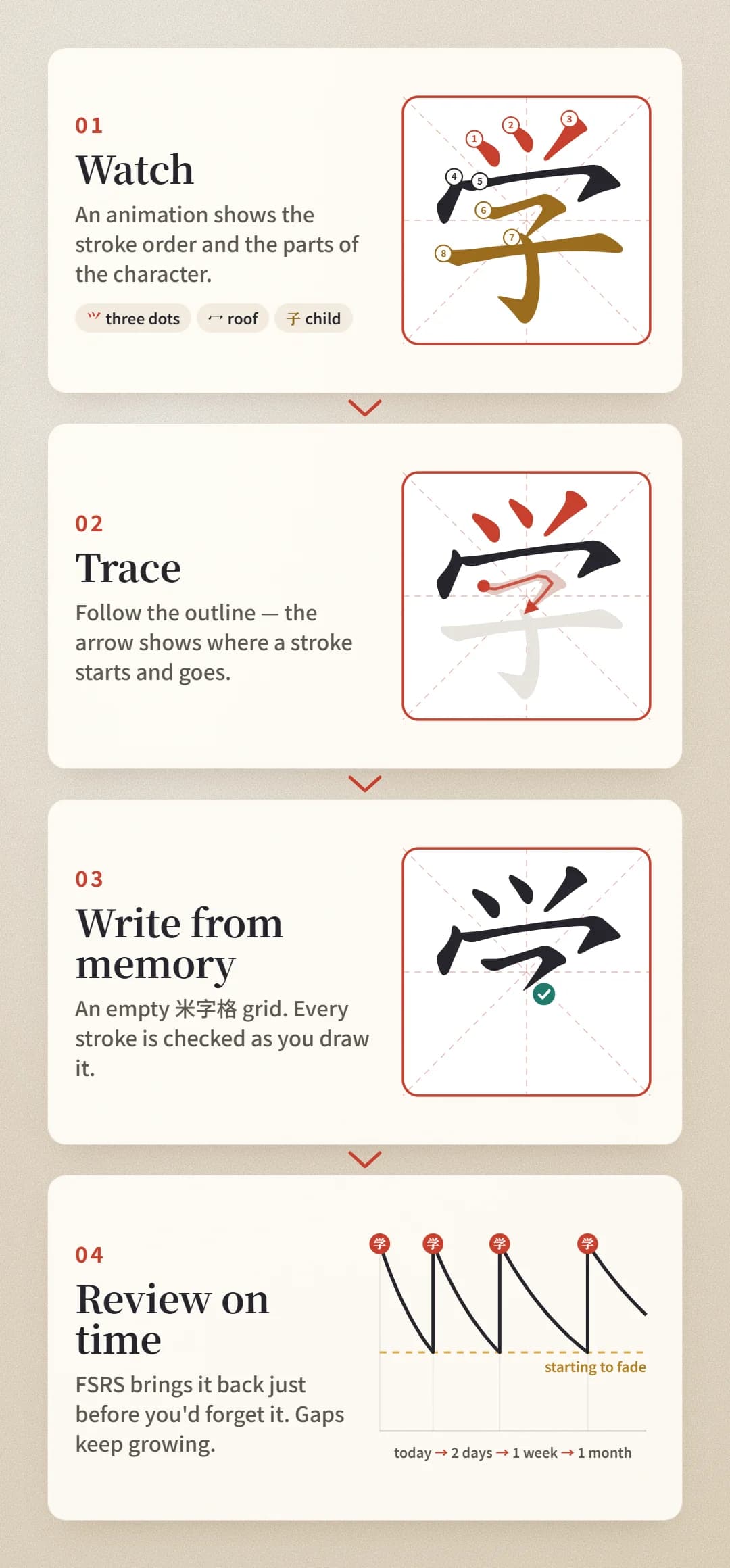
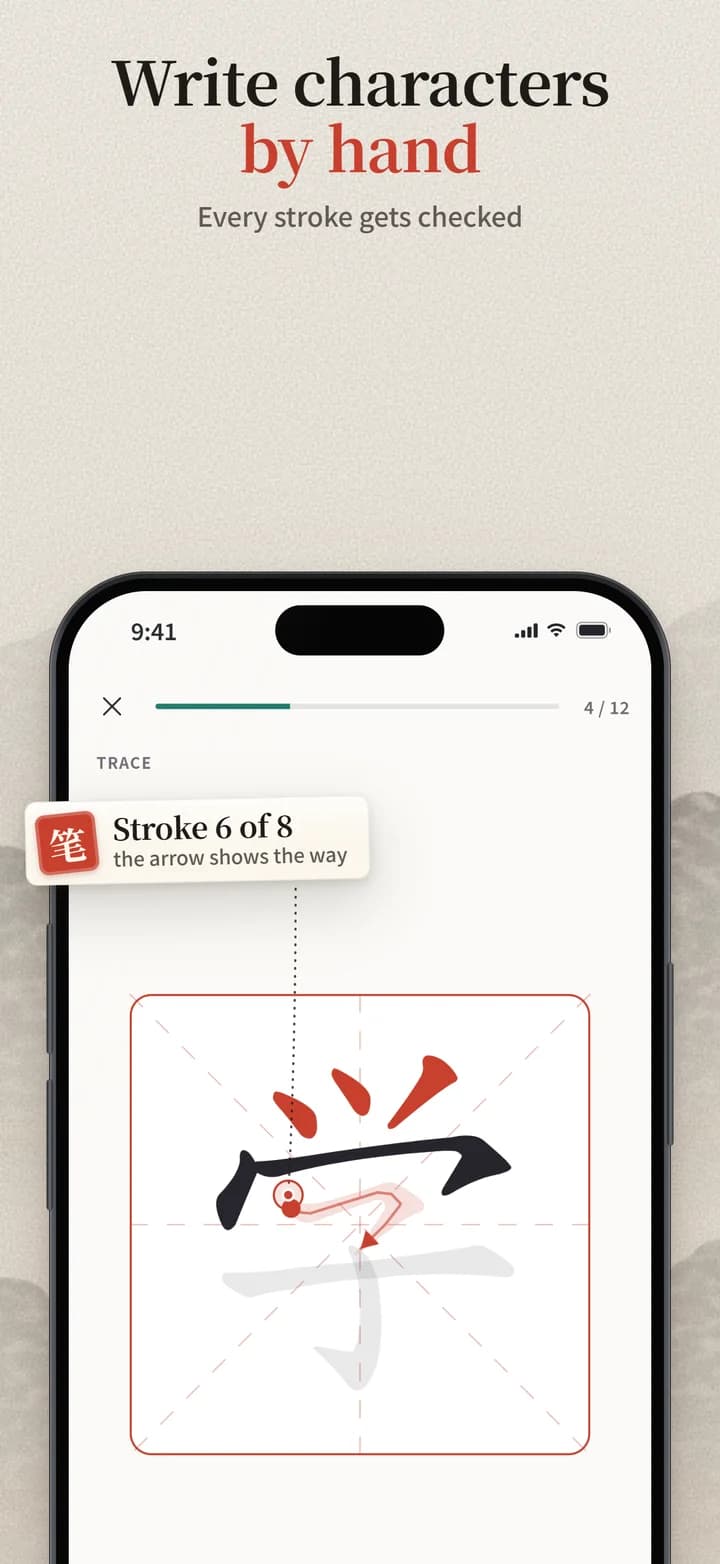
We built a Flutter app with its own writing canvas. A character first appears as a stroke-order animation, then the learner traces it and writes it from memory in a 米字格 grid. The app checks every stroke as it is drawn. FSRS spaced repetition and eight practice modes work on top of the writing lessons. About 3,000 characters and 11,000 HSK 3.0 words come from our own data pipeline. The backend runs on Fastify, PostgreSQL, Redis and RabbitMQ, the website and admin panel on Next.js, and everything is hosted on our PIER platform.
Result
The app is ready for RuStore, Google Play and the App Store, with store listings in Russian and English. The interface is available in 8 languages: Russian, English, Spanish, Portuguese, French, Vietnamese, Indonesian and Thai. There are no ads. The first 30 characters of every level, reviews, practice and the pinyin chart are free with no time limit. Along the way the project produced two more products: the Xiaolong Kids app for children and ekana, a platform for language schools.
How it started
The idea
The new HSK 3.0 exam comes out. The idea is an app where characters of the new exam are written by hand instead of picked from a list of options.
Research and design
We study the market and competitors, write the product spec and design an ink-and-cinnabar brand. For the website we build interactive HSK 3.0 maps with 11,105 words, 3,088 characters to read and 1,200 to write.
Three products
Xiaolong becomes part of an international language school. Two more products split off from the project: the Xiaolong Kids app and the ekana learning platform.
Store-ready
Lessons, practice, decks, the pinyin chart, email sign-in with progress sync and layouts for tablets and foldable phones are done. RuStore will be the first store to get the app.
About the project
Xiaolong (小龙, “little dragon”) is an app for learning Chinese from scratch and preparing for the HSK 3.0 exam. Its core is handwriting practice. Every character of a level is written with a finger on the screen, and the app checks the order, direction and shape of each stroke. The hand remembers the character, much like in a Chinese classroom, so it is easier to recall and not just recognise.
HSK 3.0 replaced the old six levels with nine, grouped into three stages. From 2027 only the new exam can be taken. Xiaolong was built on the 2026 HSK 3.0 syllabus from the start: each level has its own characters, words and grammar, and progress is tracked by both characters and words. To keep what you learn until exam day, the app schedules reviews with the FSRS algorithm, the same one Anki uses.
Each character is split into colour-coded parts with a short story that helps you remember it. Words come with pinyin, a translation, an example sentence and a native-speaker recording. HSK 1–9 grammar is explained in plain language. The free tier works offline, and after signing in with email your progress moves between devices.
For devcom.app, Xiaolong was a full-cycle project. We researched the market and built the design system, the Flutter app for Android and iOS, the backend, the content pipeline, a website with HSK maps and an admin panel, and prepared the listings for RuStore, Google Play and the App Store.
How a character is learned
App screens
Phone, tablet and foldable
Xiaolong adapts to the size of the screen rather than to a specific device model. Lessons are the same everywhere, only the layout changes. The writing grid is always square and fits entirely on one half of the screen, so writing is comfortable on a tablet and on an unfolded foldable phone alike.
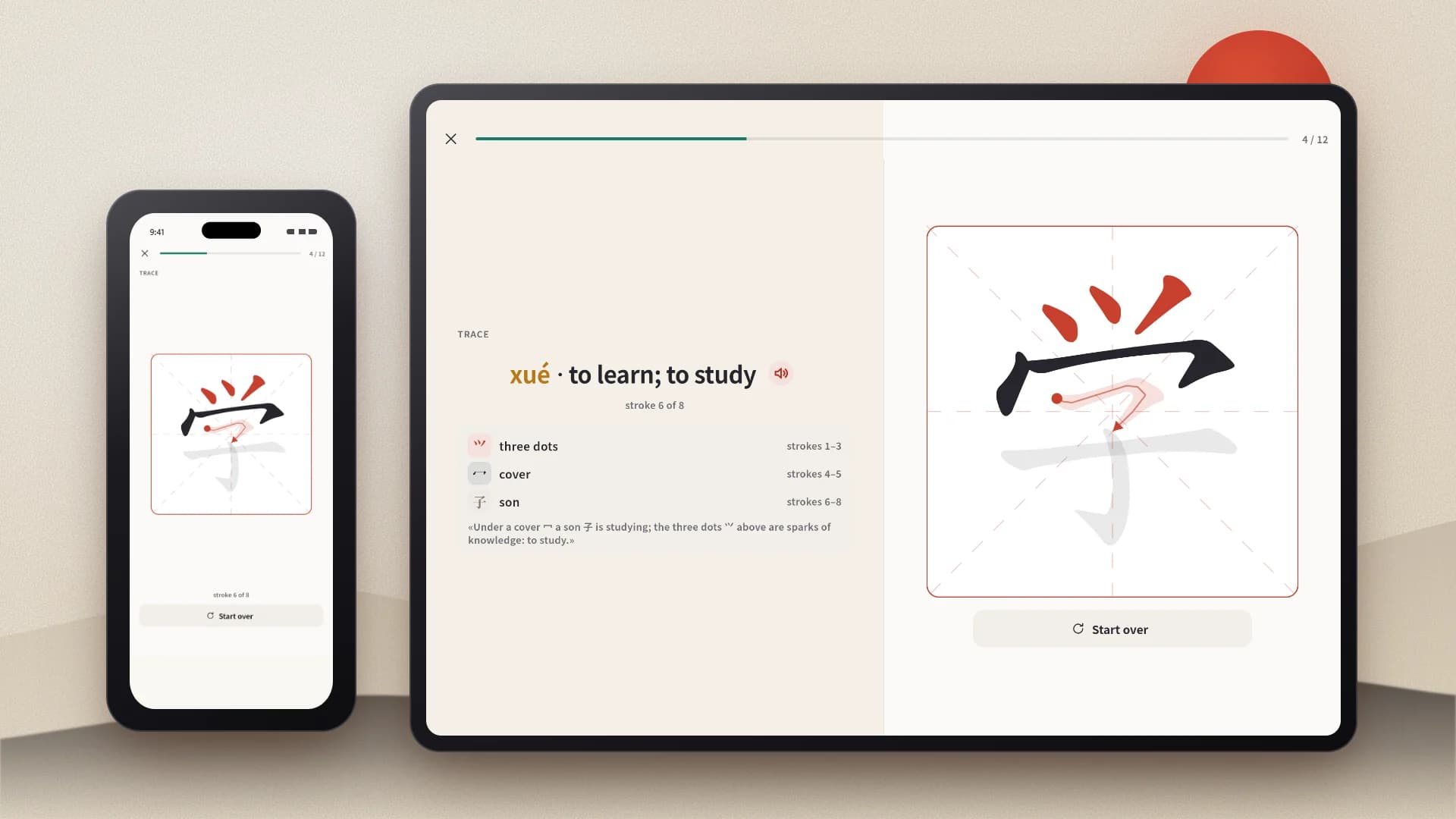
Phone
The familiar layout: the menu sits at the bottom and extra panels slide up from below. The app looks the same on the cover screen of a foldable and in split-screen mode.
Foldable and portrait tablet
The screen splits into two panes and the menu moves to a narrow column on the left. On a Galaxy Z Fold, Pixel Fold or foldable iPhone the border between the panes runs exactly along the fold.
Landscape tablet
On iPad and Android tablets a lesson opens like a book spread. The task and the character breakdown are on the left, the writing grid is on the right. The menu on the left shows section names.
Fold and dual screens
The app knows where the fold is and never puts buttons or the writing grid on it. When the phone is half open like a laptop, the animation stays on top and everything you tap is below. Folding the phone mid-lesson doesn't reset the lesson.
Features
Stroke-checked handwriting
The app checks the order, direction and shape of every stroke as you write, so mistakes show up right away. If a character won't come back to you, a hint is there.
The new HSK 3.0
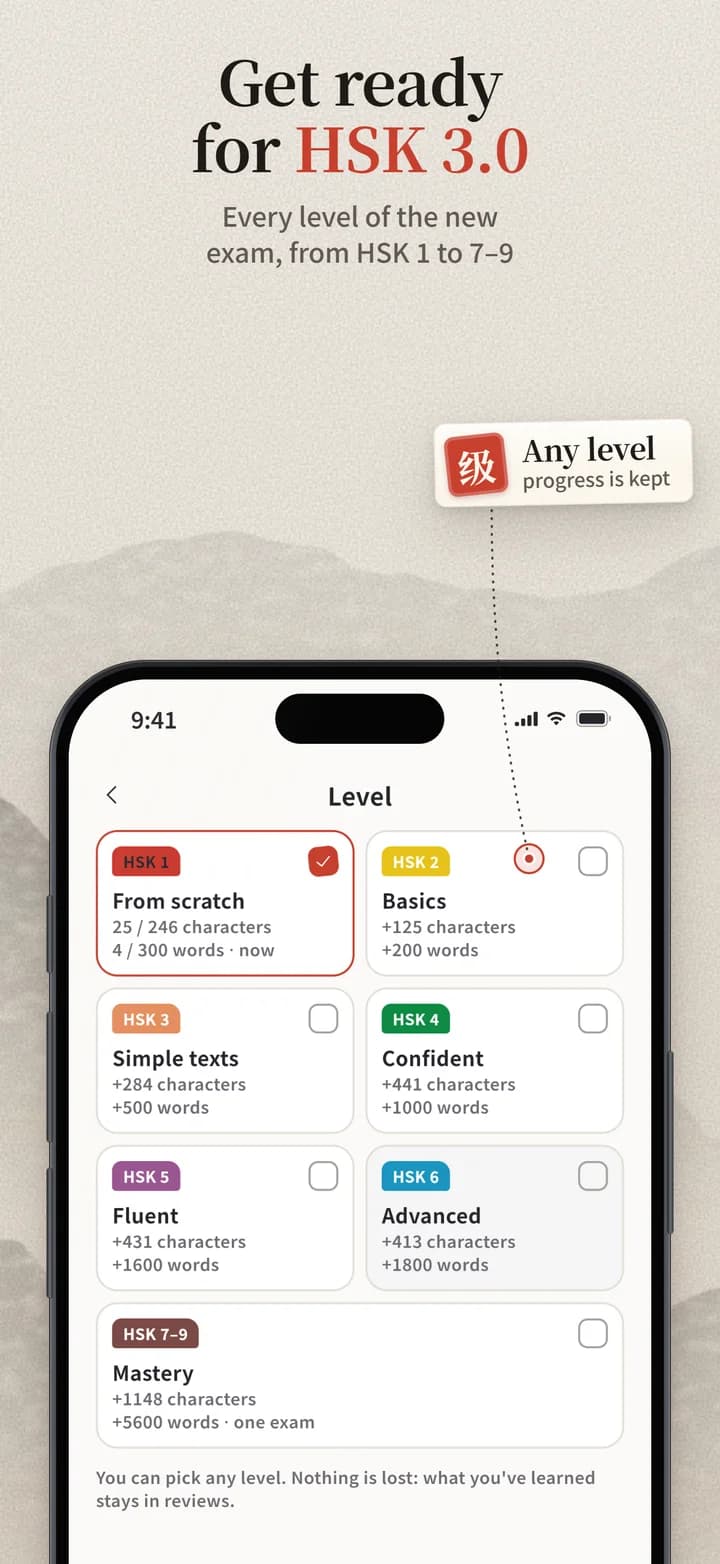
Every level from HSK 1 to HSK 7–9: about 3,000 characters, 11,000 words and grammar for each level. You can start at any level.
Spaced repetition
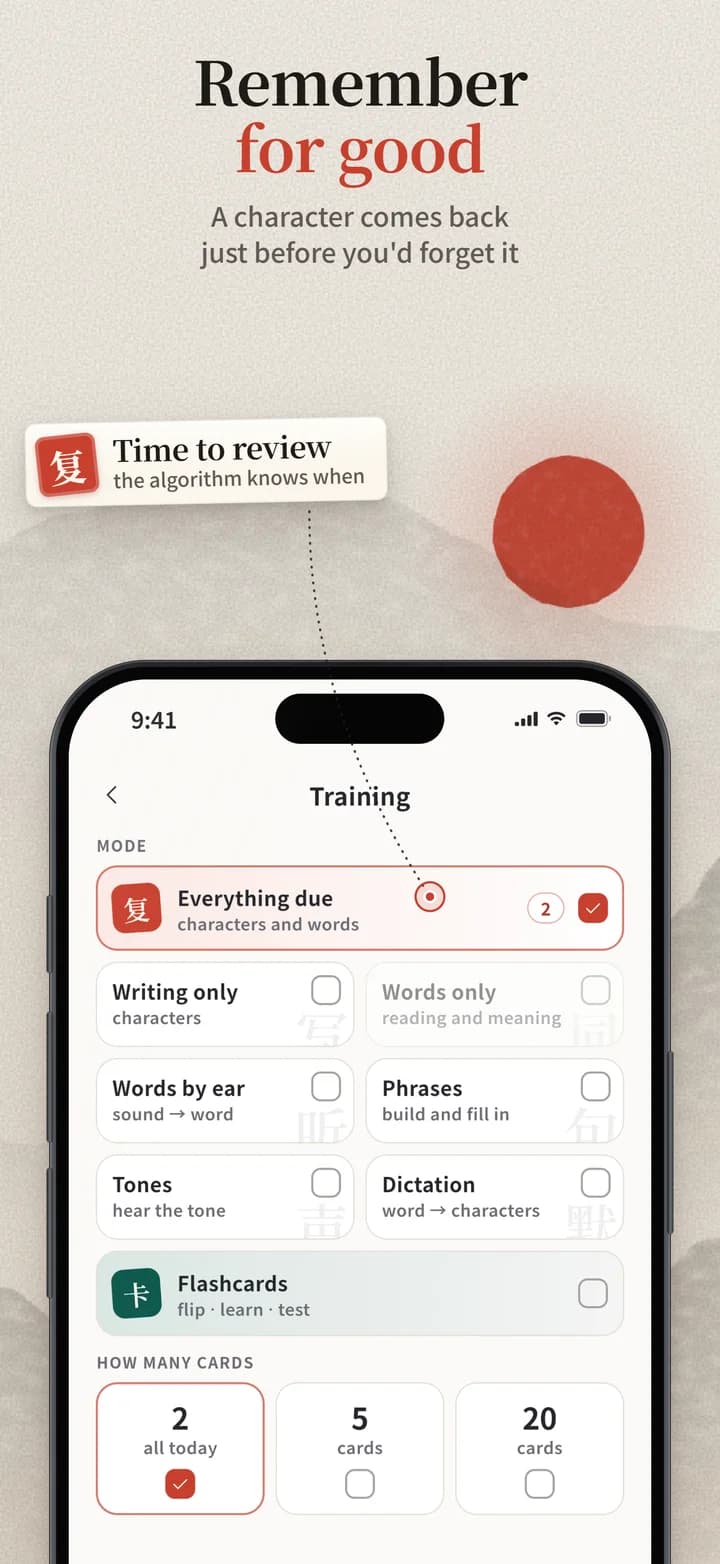
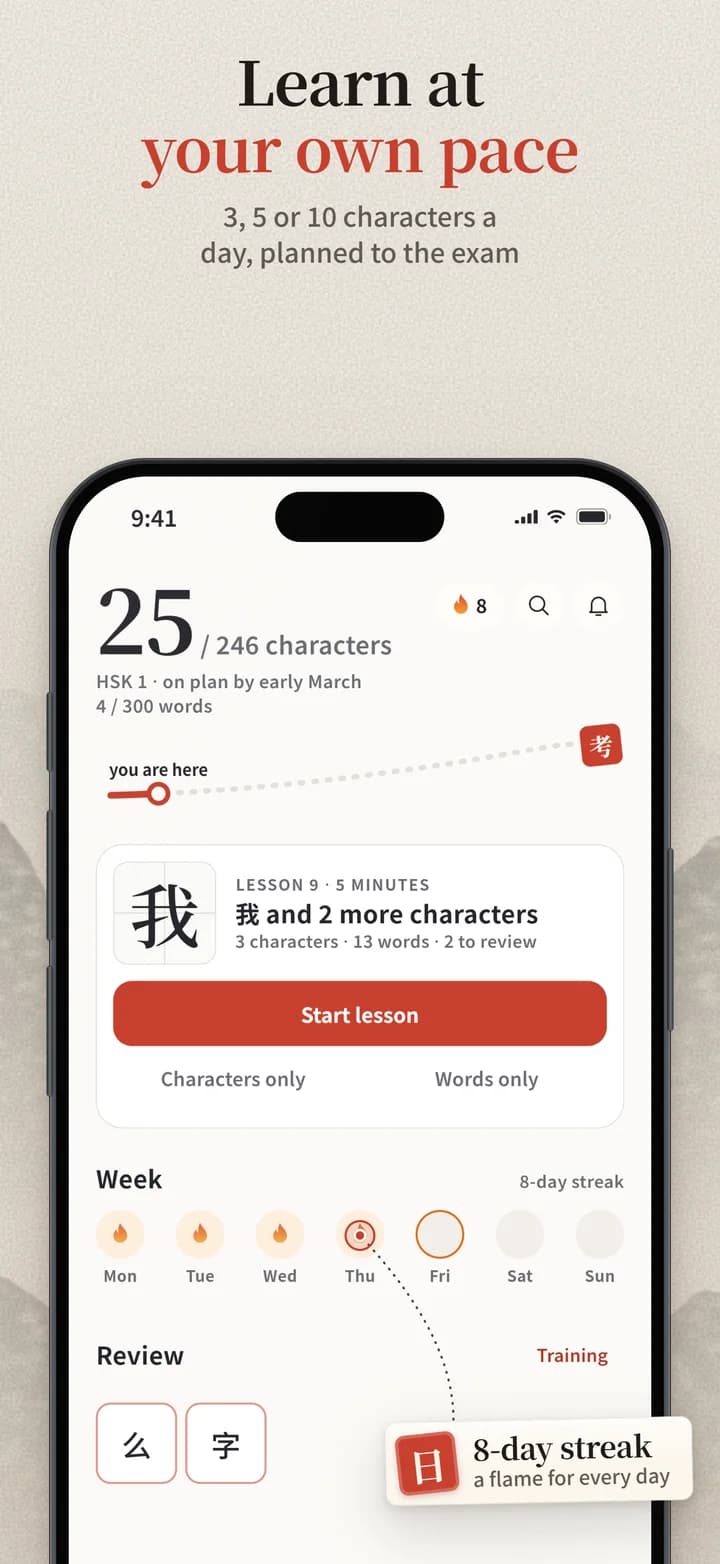
The FSRS algorithm brings a character back just as you start to forget it. The Today screen shows what is due and how much is left until the end of the level.
Practice in 8 modes
Writing, words, listening, phrases, tones, dictation, flashcards and a mixed review. There are no grades: a mistake simply brings the card back tomorrow.
Pinyin and tones
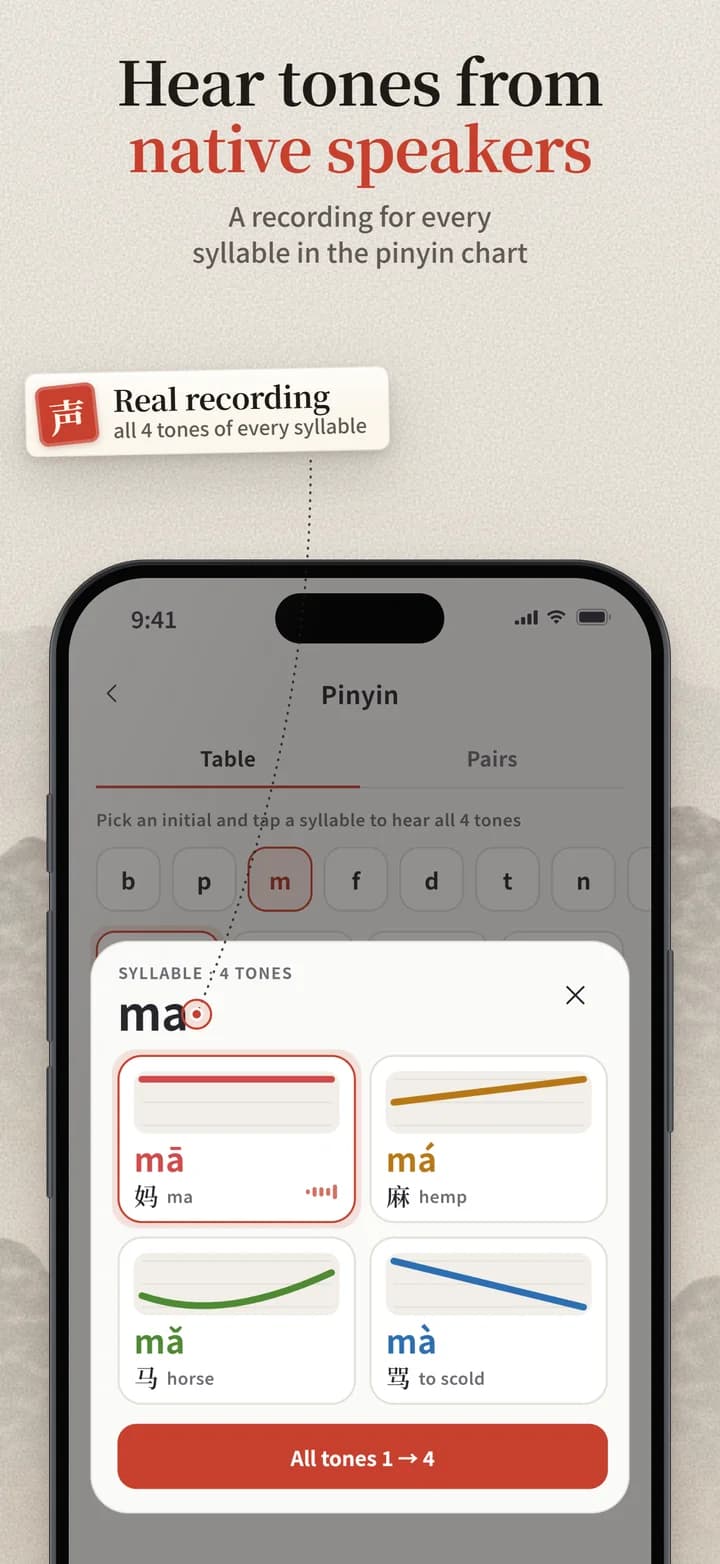
A pinyin chart with sound, where a native speaker recorded every syllable in all four tones. Each word comes with pinyin, a translation and example sentences.
Cards and decks
Ready-made topic decks and your own cards. You can bring them over from Anki, Quizlet and Pleco.
The Xiaolong ecosystem
The app is part of the product line of the Xiaolong international language school. The adult and kids' apps share one backend and one HSK 3.0 content base, and the ekana platform connects to them through an API.
Xiaolong app
Handwriting, reviews and practice for HSK 3.0 for teens and adults. Android and iOS, phones, tablets and foldables, with the interface in 8 languages.
Android · iOSxiaolong.app website
The app's website with interactive HSK 3.0 maps, animated stroke order, a printable worksheet generator, a pinyin chart with sound and a level test. It runs in 8 languages and is prepared for search engines and AI assistants.
xiaolong.app ↗Xiaolong Kids
An app for children aged 6 to 11. On the island of Xiaolong the little dragon, kids trace strokes, ride tone slides, build characters from parts and collect stickers in an album. No ads or third-party analytics, and purchases sit behind a parental gate.
Android · iOSekana
A system for language schools and tutors that keeps groups, schedules, attendance, homework, payments and teachers in one place. Every school gets its own address on ekana.app, and student data is stored in the school's region.
ekana.appArchitecture
The app, backend, content pipeline and website are written in Dart and TypeScript, with no UI kits or third-party cloud backends. Anything that can be computed on the phone is computed on the phone, so the app responds quickly and works without a connection.
App: Flutter and BLoC
The code is split into data, logic and interface layers. Progress lives in a local SQLite database (drift), and HSK content is attached to it as a separate package, so the free tier works offline. The writing canvas was built from scratch and handles both fingers and a stylus. The layout follows the screen size and the position of the fold, and a lesson isn't lost when the phone is folded.
Reviews: FSRS on the device
The review schedule is calculated inside the app with no server requests. Practice changes the schedule only when you make a mistake, so correct answers don't shift the intervals. Lesson progress goes to the server in a single batch.
Backend: Fastify and PostgreSQL
A REST API documented with OpenAPI, built on Drizzle ORM. Redis handles caching and rate limits, RabbitMQ queues notifications and emails. Sign-in uses a one-time code sent by email, with no passwords.
Content: our own pipeline
Characters, words, stroke order, pinyin, example sentences and native-speaker recordings are collected from open sources: Make Me a Hanzi, Tatoeba, audio-cmn and Lingua Libre. The data is checked before release and ships as updates.
Website and admin: Next.js
A website in 8 languages with pre-rendered pages, structured data for search engines and an llms.txt file for AI assistants. The admin panel manages notifications, users and interface texts in every language.
Infrastructure: PIER
The backend, website, admin panel and databases run on our PIER platform, which also takes care of backups. Sentry collects app errors, and notifications are delivered through Firebase Cloud Messaging.
FAQ
Get the app
 coming soon
 coming soon
 coming soon